
Quote preparation guide · 03

What to send with a commercial bathroom partition quote.

You do not need finished drawings to begin a quote request. Start with the information you have, then add plans, a hand sketch, measurements, photos, and open questions when they are available. Clear inputs reduce avoidable follow-up and make it easier to focus the next discussion.

01
Planning step

Begin with the five essential boxes.

The quote form starts with name, email, phone, project city, and project state. Those basics give Partition Stalls a way to understand where the project is and reply with the next useful question.

  • Name and email for the project contact.
  • Phone, project city, and project state.
  • An early request is still useful when the full scope is not finalized.
02
Planning step

Upload plans or drawings when you have them.

The main quote form includes a visible upload area for plans or drawings. A clear floor plan, partition elevation, hand sketch, or marked-up photo can show relationships that a simple quantity cannot.

  • Show room dimensions, fixtures, door swings, and wall returns when known.
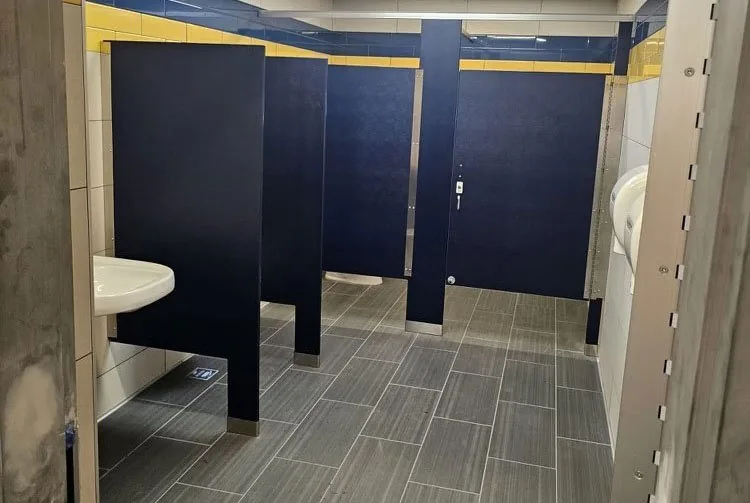
  • Include wide photos for the room and close photos for existing hardware or attachment details.
  • Label any dimension or condition that still needs field verification.
03
Planning step

Add the details that shape the complete scope.

Use Additional options in the quote form for project type, material preference, quantity, project details, mounting direction, privacy goals, finish direction, accessories, building access, delivery, or schedule context. The goal is to identify what is known and what needs confirmation.

  • Approximate stall, screen, and accessory quantities.
  • Material, mounting, privacy, hardware, and finish direction if known.
  • Project-specific delivery, access, installation, or timing questions.
Keep planning

Take the next useful step.

Use the tools and guides that relate directly to this decision, then send the known information for project-specific review.

Project-ready support

Ready to share the project information you have?

Start the secure quote form with the five essential fields. Plans and drawings stay visible on the main form, while the additional options remain available if you want to add more detail.